
We are influencers and brand affiliates. This post contains affiliate links, most which go to Amazon and are Geo-Affiliate links to nearest Amazon store.
It has happened to all of us. You spend over 40 minutes typing eloquent prose, you bookmark an Alexander’s Library worth of game walkthroughs, you download a truckload of addons to improve your Firefox life; only to find all these things gobbled up by cyberspace gremlins! Losing the valuable content of your Firefox 4 profile is never fun and can lead to some major setbacks. Preventing such digital disasters isn’t rocket science. You can ensure that regardless of whatever calamity or crash you run into, that you are covered by a reliable insurance plan. Like a good ‒ sorry, I forgot we weren’t talking about car insurance. On to the tips!
Tip #1: Lazarus
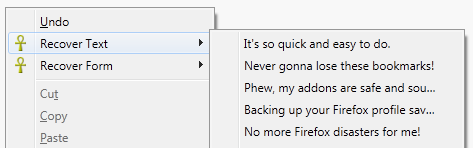
Lazarus, just as its namesake implies, is an addon that raises your deleted typing from the dead. It can recover text typed into a variety of fields whether its a WYSIWYG editor or AJAX comment box. The addon ensures that any saved data retained is kept under secure encryption and stored locally on your PC. To use Lazarus all you have to do is right click on the field that you were typing in and choose the version of text that best corresponds with what you wanted to write. Lazarus eventually clears the database of stored text but you can ask it to do so at any time you wish. I definitely recommend this addon for bloggers who hate when their posts get mysteriously eaten.
Tip #2: Xmarks Sync
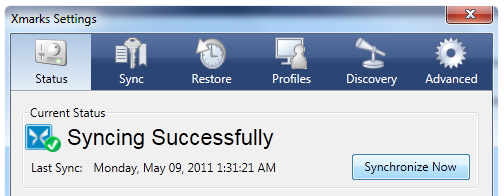
Xmarks Sync is a bookmark addon that heavily inspired Mozilla’s now built in sync extension. Mozilla’s extension still cannot compete with the ease of use and reliability that Xmarks has to offer, the difference in star ratings between the two attests to that. Xmarks secures your bookmarks on its website so that you can access them from any computer. It also offers to synchronize your bookmarks on logout if it detects you have added new entries rather than tax system resources and synch around the clock. I have never found a better bookmark app that worked so flawlessly with Firefox, I recommend this to regular and power users alike!
Tip #3: MozBackup
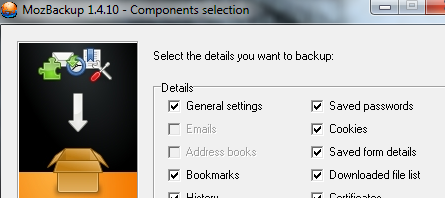
MozBackup is another contender that influenced Mozilla’s efforts in Firefox 4. This utility is a full fledged program however, that you need to download and install. The program uses a very simple wizard that lets you toggle checkboxes of what you wish to be backed up. Usually within less than 2 minutes, depending on how many extensions you have downloaded, MozBackup will save your entire Firefox profile as one tiny file. You can keep this file in your Documents, or on a flash drive, and restore your Firefox settings by running the program on any other computer. Using this utility regularly will save you a lot of headaches in the long run.
Tip #4: Save and Quit
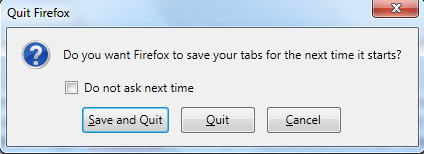
Many heaved a heavy sigh when they noticed the useful Save and Quit dialog, a tool that allowed you to backup your prior session with the click of a button, had been axed in Firefox 4. Despair no longer! You can easily get this feature back with a few adjustments to your Firefox configuration settings. Here’s a list of pain free steps you need to follow:
- Type about:config in your Firefox address bar. If you see a warning click on the “I’ll be careful, I promise!” button.
- In the Filter box, type quitwarning and press the Enter key.

- If you see the entry browser.showquitwarning, double click on the Value field so that it changes to true.
Thats it! From now on when you exit Firefox you will once again be offered the Save and Quit dialog when closing Firefox with multiple tabs open.
Thus ends my tips of how to apply damage controls to Firefox crashes and calamities. Have any other helpful Firefox addons or programs that you would like to share? Feel free to mention them in the comments.
We are influencers and brand affiliates. This post contains affiliate links, most which go to Amazon and are Geo-Affiliate links to nearest Amazon store.

Mitra Faridian first joined the site in 2011 under the handle “Persian Poetess.” Her gaming and entertainment taste is very eclectic and she’s always open to a fun new virtual adverture. Email her at the following address: mitra [at] dragonblogger.com