
We are influencers and brand affiliates. This post contains affiliate links, most which go to Amazon and are Geo-Affiliate links to nearest Amazon store.
AI has improved enormously for programming tasks over the last two years, but 2026 has introduced major changes thanks to AI agents like Gemini and Claude. So today I want to compare what these models are actually capable of, which means putting them through a test to see how much they have improved and which one could theoretically be “better,” although both models are already very good.
The test consisted of creating a pixel art editor entirely inside a single HTML file. That means the prompt was very specific, and both models received the exact same prompt.
Since many of our readers usually do not pay for AI services, we used the most powerful free versions available. In the case of Gemini, we used 3.1 Pro, while Claude used Sonnet 4.6.
I have to admit that Gemini is much more generous than Claude when it comes to free limits. Even though it usually only allows around one or two complex code generations with Pro 3.1, it generally finishes the code before hitting the limit. Claude, on the other hand, can leave the code unfinished once it reaches its token limit, which becomes frustrating because it does most of the work only to suddenly stop halfway through and force you to either wait several hours or pay for a subscription.
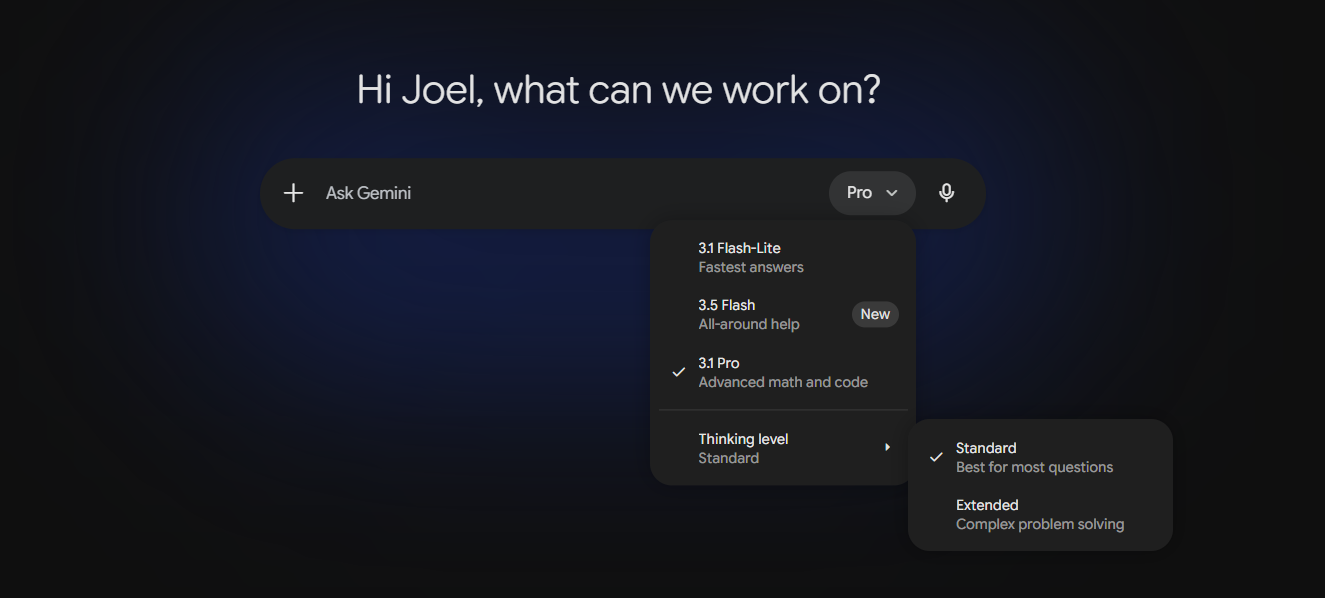
In addition, Gemini recently introduced 3.5 Flash, which replaced the previous reasoning mode. As for Flash-lite 3.1, it is almost unlimited, although it is not recommended for highly complex programming tasks. Even so, it is still very useful because of how quickly it responds.
It is difficult for Claude to compete with this. After all, Google has massive infrastructure that allows it to be a bit more generous regarding usage limits.
Now then, after using the prompt, this was the result obtained with Gemini 3.1 Pro.
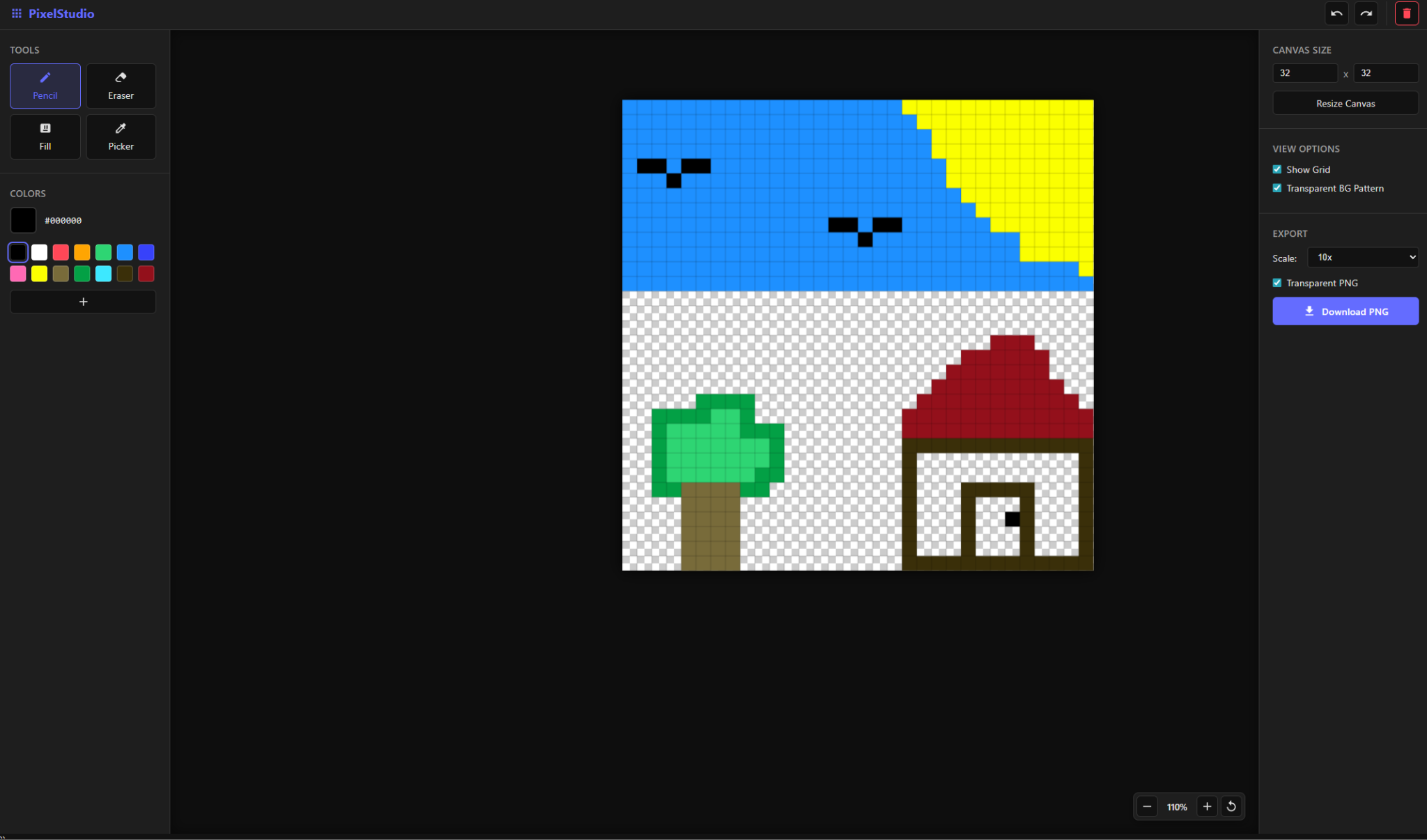
I have to admit that it worked very well. I did not encounter any problems. As you have probably already noticed, I am very bad at drawing, but I made a small landscape with the sun, sky, birds, a tree, and a house. It was very easy to do, and the tools worked properly. All of this was created in Gemini using a single HTML file.
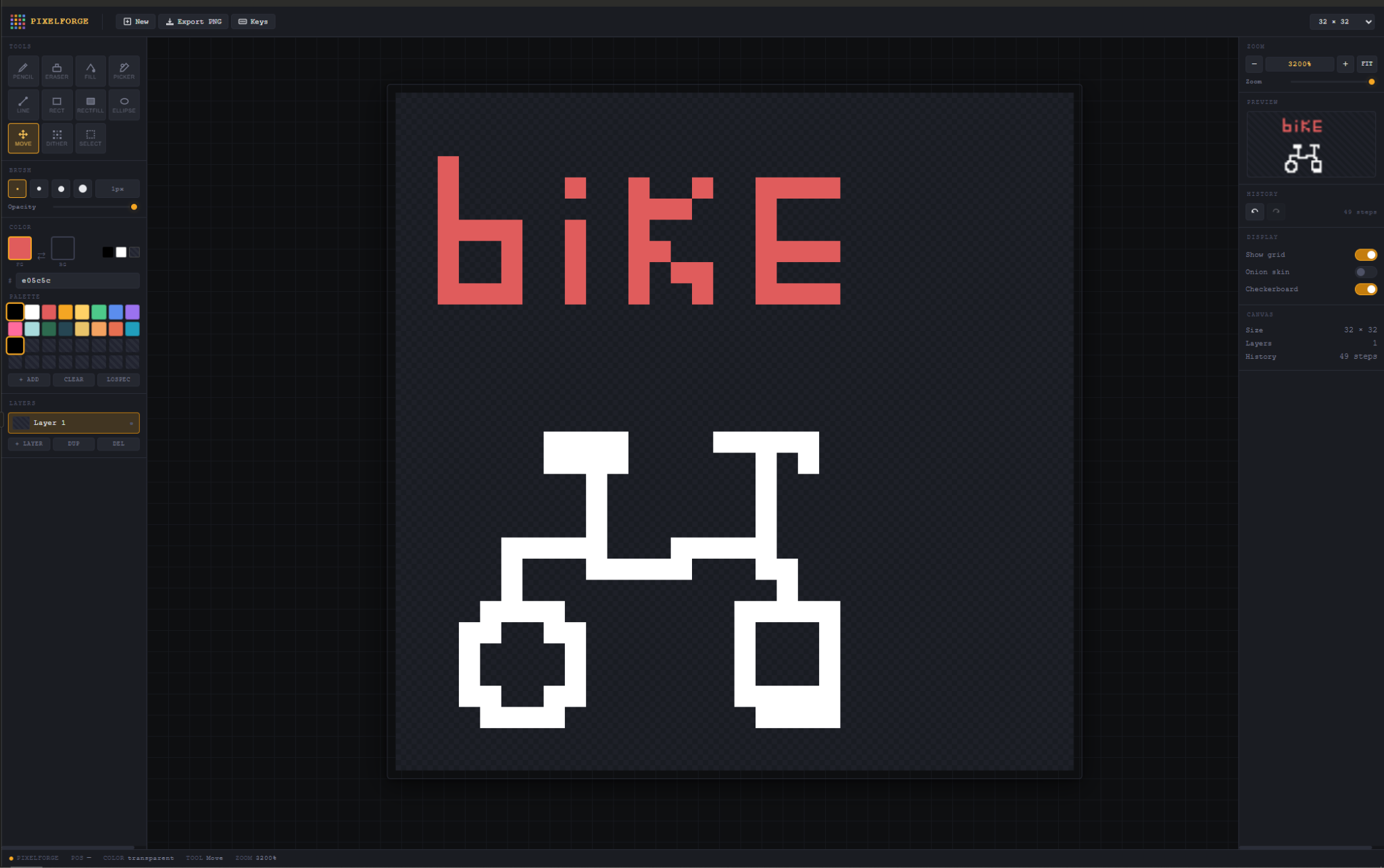
When it was Claude’s turn, I noticed many problems related to the limit. Even so, it eventually managed to create the project after several attempts and waiting a few hours. The result was not as good as Gemini’s, especially because I noticed synchronization problems regarding where the painted square was actually supposed to appear.
Some tools did not function correctly. However, the visual design was far more complete than Gemini’s version, although from a functional perspective it fell a bit behind.
Now, if you asked me personally, based on my experience, Claude seems much more capable for highly complex tasks than Gemini in many aspects, but you almost have to pay if you want to access that level of efficiency without constantly hitting the limit. It is very common to reach the free limit with the very first message if Claude starts generating a large amount of code.
Because of that, if you asked me which free AI I would recommend for programming, I would definitely say Gemini. Even if the 3.1 Pro model reaches its limit, you can still switch to other models within the same chat, which is a huge advantage.
That said, for highly complex tasks where you want to work directly on a project with multiple files, there are even better options available, such as Windsurf and Cursor
We are influencers and brand affiliates. This post contains affiliate links, most which go to Amazon and are Geo-Affiliate links to nearest Amazon store.

My name is Joel! I love to read, I go to university like most people my age.
In my free time I usually train boxing, I love music, I also know how to play the guitar and the harmonica.