
We are influencers and brand affiliates. This post contains affiliate links, most which go to Amazon and are Geo-Affiliate links to nearest Amazon store.
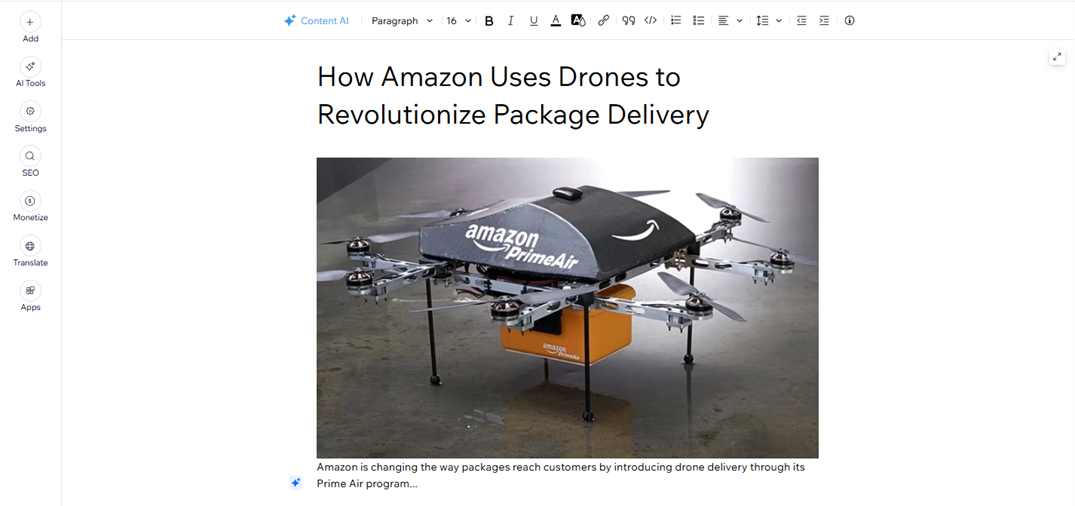
Wix is a platform that allows users to create websites easily and for free, so if you have ever wanted to have your own website to publish articles or simply create a portfolio to share with friends and family, you can use Wix to achieve that.
The great thing about Wix is that it has improved tremendously compared to a few years ago; today, you hardly need to design the page yourself, especially if you take advantage of the new artificial intelligence tools. Therefore, today we will show you what the process looks like and demonstrate just how easy it is to create a fully functional website ready for you to start adding content.
Once you begin the process of creating your first website, the first thing you need to do is briefly describe what your site is about. In this way, the advanced algorithms combined with artificial intelligence can select the best construction options for you. In our case, we decided to focus on technology, creating a blog that shares breaking news about the latest advances in this field.
Wix will then show you two options to proceed: either choose from a pre-made template or let the AI design the basic structure of your website in just a few seconds. In our case, we chose the second option to show how easy it is for anyone to do it on their own.
Of course, the AI may not always choose the best design, so if you are looking for something more original and less generic, you can create your own design, which will take a little more time.
Once the AI has designed the base of our website, we will already have something fully functional and ready to start making some changes to tailor it to our own preferences. As you can see, there are subsections that can be adjusted to create a more professional appearance. For example, you can add contact information, social media links, and other details. All of this is extremely easy: you simply update the existing information and replace it with real details.
In this section, we can publish articles, which involves adding a title, images, or hyperlinks. We created a small example article about Amazon’s use of drones and then published it so it would be visible on our homepage.
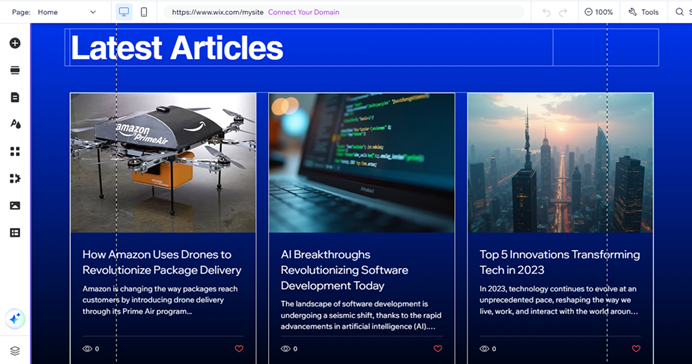
Returning to the homepage, you can see that the example article we published now appears alongside the rest (which are default test articles that Wix shows, so you would want to delete them). That’s it, just like that, in such a simple way, you can start your own website. Remember, this is only an example; Wix offers hundreds of customizable options depending on each user’s needs. You can even use Wix to create an online store, so the possibilities are almost endless.
Limitations of Using Wix’s Free Plan
- Domain comes with a Wix subdomain.
- Mandatory Wix ads.
- Limited storage and bandwidth.
- No full e-commerce functionality.
- No advanced marketing or SEO tools.
The good news is that using Wix is free. Paid plans are available and worth considering later, once you’ve tried the platform yourself and decide whether you might need them in the future. Keep in mind that a professional website requires its own custom domain instead of a free subdomain, and monetization is only possible if you upgrade to a paid plan. All of this is achievable on Wix, but again, you should explore the platform first on your own.
You can click here to visit the official Wix website and create your first website completely free!
We are influencers and brand affiliates. This post contains affiliate links, most which go to Amazon and are Geo-Affiliate links to nearest Amazon store.

My name is Joel! I love to read, I go to university like most people my age.
In my free time I usually train boxing, I love music, I also know how to play the guitar and the harmonica.