
We are influencers and brand affiliates. This post contains affiliate links, most which go to Amazon and are Geo-Affiliate links to nearest Amazon store.
Recently, I started experiencing some performance issues on my PC, to the point where certain programs would unexpectedly stop working. I quickly realized the problem was caused by a lack of SSD storage space. However, even after trying to delete some files, I still could not find any large files that I could permanently remove.
So I started researching how to locate large files in Windows so I could delete them, and I discovered that WizTree is the perfect software because it really makes everything extremely easy when it comes to finding unwanted files and permanently deleting them.
WizTree is a free program, although users can donate voluntarily, so there is no need to pay to download it from its official website. Its functionality is simple but very effective: it searches for and locates files, grouping them from largest to smallest.
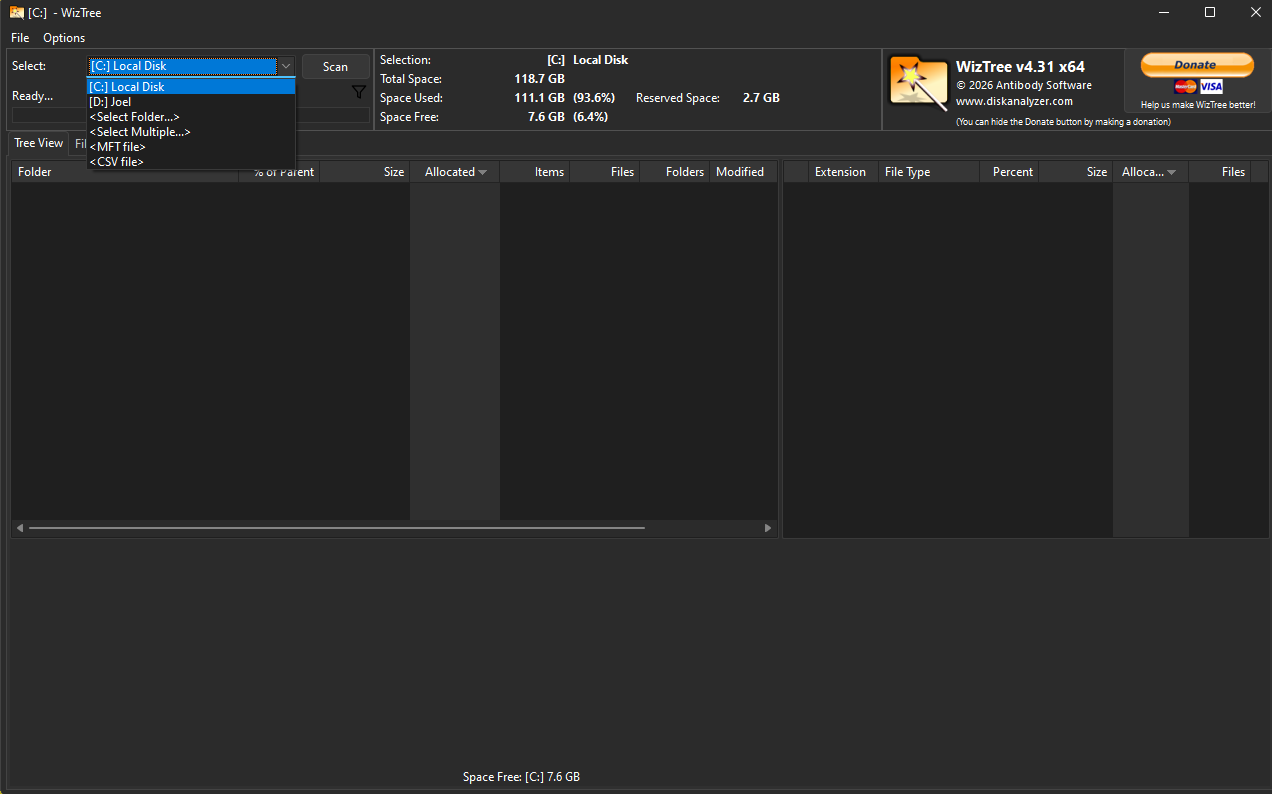
Once you launch the program, you simply select the drive you are interested in. In my case, I used my main SSD drive and then started scanning. The great thing about the scan is how fast it is. Windows' built in search tool is extremely slow many times, sometimes taking minutes when dealing with drives that contain thousands of files. With WizTree, the scan took less than 10 seconds.
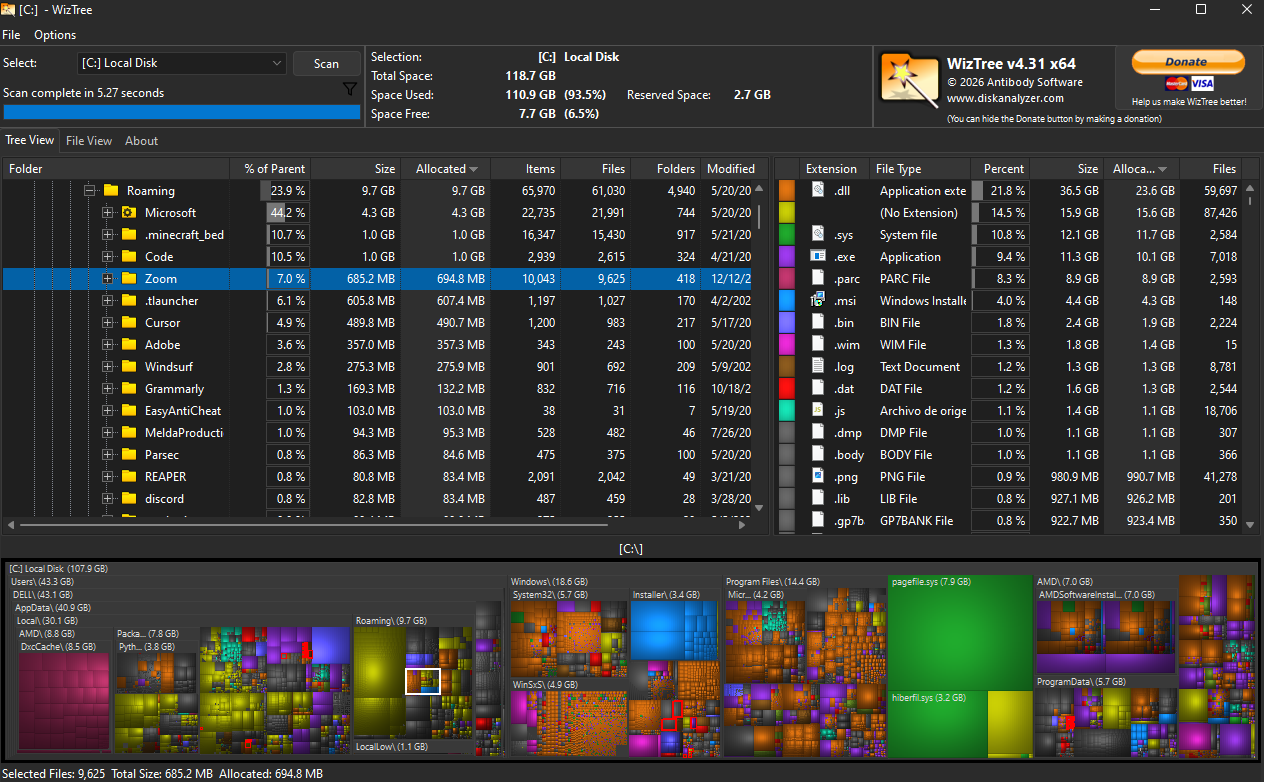
Once the scan was complete, WizTree showed me the data in two different ways: the traditional format, organizing folders and subfolders from largest to smallest, and a colored block style graph that makes it easy to locate the folders and files consuming the most space on the drive.
Even though I had already deleted some files beforehand, while doing this test I realized that Zoom was still installed on my PC, even though I have not used it in years, so that alone was nearly 700 MB taking up storage space on my drive. I also found a 1 GB file that I was no longer using.
This is just to give you an idea of how easy and fast it is to locate those large files you did not even know existed. Just keep in mind that you should be careful with what you delete. Many Windows files are large and generally necessary, so try to only remove files that you know you downloaded in the past and no longer need.
It is very common for us to install files and forget to remove them later. One file alone does not make much difference, but over the years many files can accumulate and end up taking a significant amount of storage space, and that is space that could be used for something actually useful or simply to improve overall drive performance.
And that is it. That is how easy it is to remove unwanted files on Windows with WizTree!
We are influencers and brand affiliates. This post contains affiliate links, most which go to Amazon and are Geo-Affiliate links to nearest Amazon store.

My name is Joel! I love to read, I go to university like most people my age.
In my free time I usually train boxing, I love music, I also know how to play the guitar and the harmonica.