
We are influencers and brand affiliates. This post contains affiliate links, most which go to Amazon and are Geo-Affiliate links to nearest Amazon store.
ChatGPT is one of the most widely used AI models in the world, but it is also an image generator. Recently, to be exact, as of December 10, 2025, Adobe has natively integrated its flagship editing tool, Photoshop. This means it is now possible to edit images in a much more professional way thanks to this major collaboration.
That said, many people still do not know this is possible, or they may know but do not know how to properly enable Photoshop in ChatGPT to edit an image. Therefore, today at Dragon Blogger we will show you how to easily edit an image, whether you want to enhance effects or even create a better thumbnail with ChatGPT, but without the AI making strange changes, such as modifying facial appearance.
I will do a quick edit on a photo of myself showing the Colorado Boomerang, which, by the way, is really fun to throw. We will show you how to edit your images, although keep in mind that this Photoshop integration is not the same as everything you can get from the full software, but it offers enough to be genuinely useful within ChatGPT.
The great thing is that this integration is designed to work with natural language, which means you can get a good result without using an overly complex prompt.
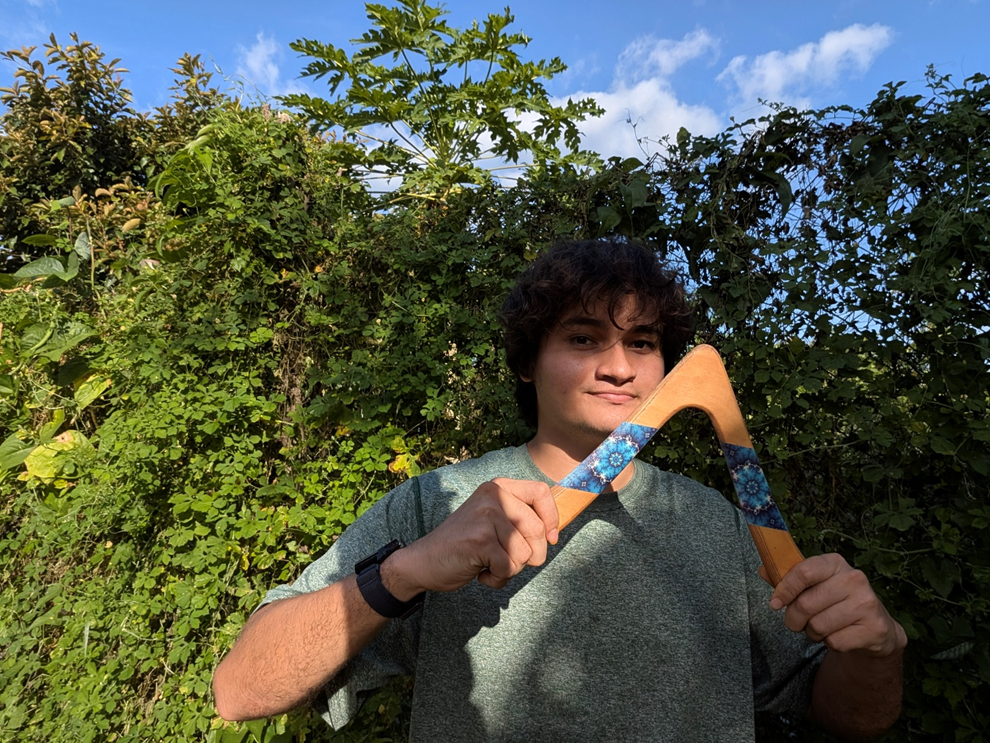
This is the original image. You can see that the lighting on me is not perfect, which makes it feel less natural for a good photo. So we will try to have ChatGPT simply adjust the lighting to achieve a much more balanced image.
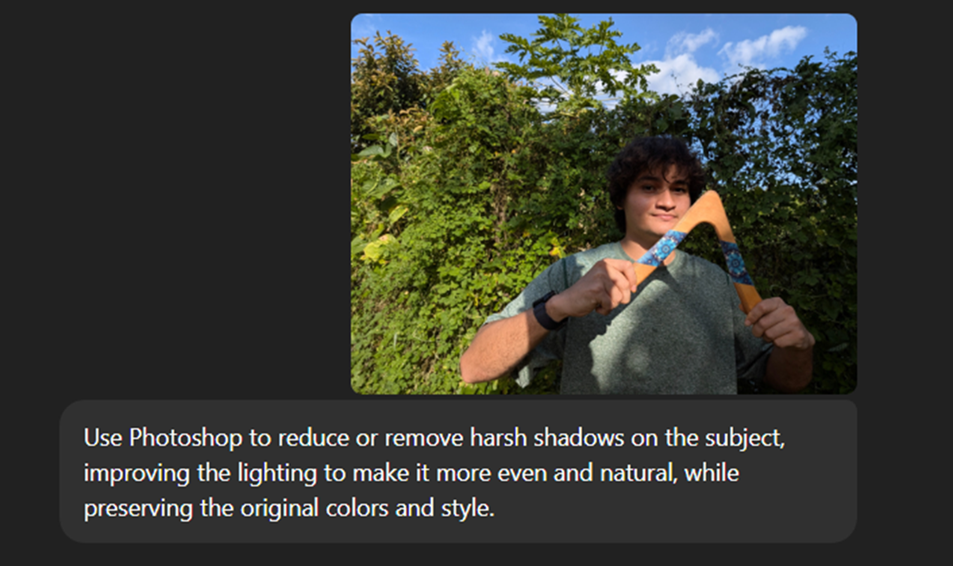
We used a basic prompt, because OpenAI claims that these edits can now be done using natural language. Even so, we were very clear so the AI would fully understand exactly what we wanted from the photo edit.
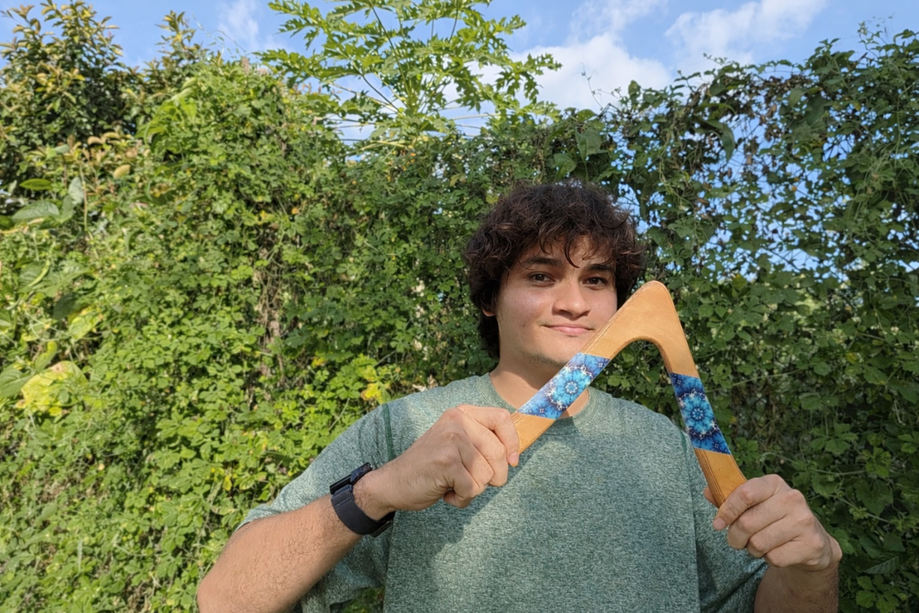
This was the generated result, and it was very good, because we went from having very dark areas to a much more balanced look. Just imagine how many situations you have been in where you took a good photo, but too much shadow, or too little of it, ended up ruining it.
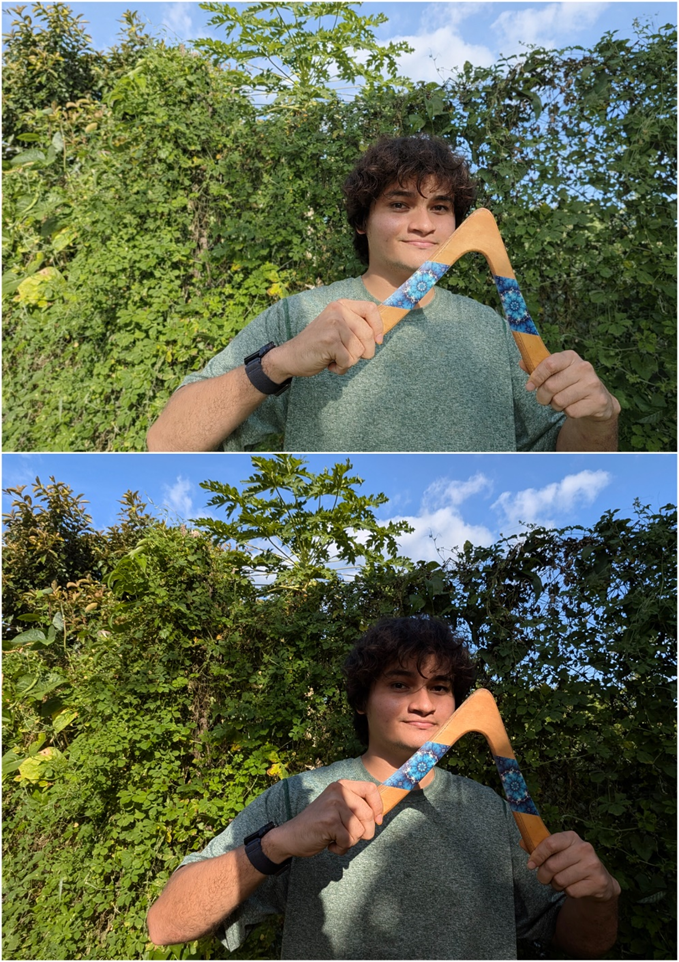
Here you can see a better comparison, going from a very dark background to something much more evenly lit. If we estimate it, the shadows were reduced by about 75 to 80 percent. The best part is that it does not look forced, which is exactly what you want when you want the AI to preserve a natural look in photo edits.
For now, it works well for photo touch-ups. After all, that is what OpenAI has said. It is still not at the level of Gemini’s Nano Banana Pro, but I like that it preserves the original appearance and works on the original image instead of creating a similar but not exact recreation.
We are influencers and brand affiliates. This post contains affiliate links, most which go to Amazon and are Geo-Affiliate links to nearest Amazon store.

My name is Joel! I love to read, I go to university like most people my age.
In my free time I usually train boxing, I love music, I also know how to play the guitar and the harmonica.