
We are influencers and brand affiliates. This post contains affiliate links, most which go to Amazon and are Geo-Affiliate links to nearest Amazon store.
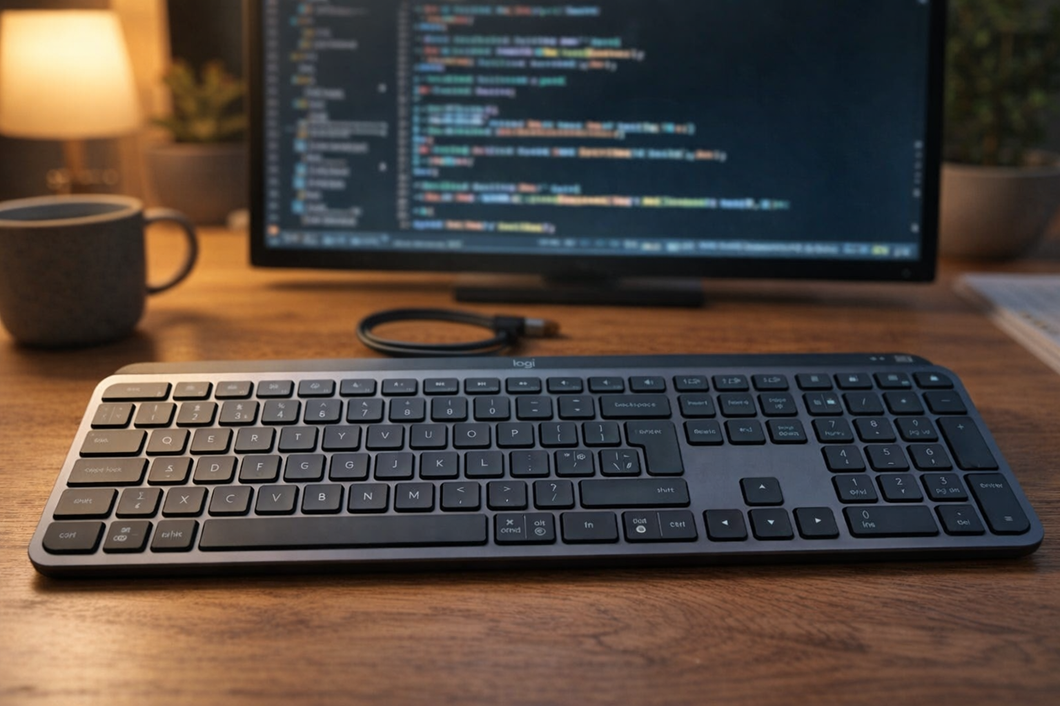
Many users have asked themselves, “what is the best keyboard for office work?” and they probably assume that a gaming keyboard is a good option. While mechanical gaming keyboards offer good feel and precision, they are not considered the king of keyboards for typing, programming, or non-gaming use.
One of the few keyboards that many experts consider to be among the best for typing is the Logitech MX Keys S. It is a low-profile keyboard that delivers an excellent typing experience, so if you usually need to type for long periods of time, you should definitely consider it if you want to improve your accuracy and speed.
If you are interested in getting one, keep reading because below we will go over the main features of the Logitech MX Keys S.
One of the main features of this keyboard is its low-profile design, which makes every keystroke very fast, similar to the experience offered by MacBook Pro keyboards. So, if you are currently using a high-profile keyboard, which is very common with gaming keyboards, you will definitely notice a big difference when typing on the Logitech MX Keys S.
This keyboard uses a membrane-based design and ergonomics, unlike mechanical gaming keyboards. This is precisely the main reason why each keystroke on this Logitech keyboard feels quiet and very precise when typing. For gaming, however, most users still prefer traditional mechanical keyboards.
Noise level is another major advantage worth highlighting. Logitech uses a dish-shaped key design so that your fingers fit more naturally. This results in much softer and more accurate keystrokes, especially for users who type at high WPM (words per minute).
Despite not being a gaming keyboard, the backlighting is quite good. It is not RGB or anything like that, but it is efficient enough to allow comfortable typing in low-light conditions. That said, to protect eye health, it is always recommended to type in a well-lit room to reduce eye strain.
Compatibility is another strong point. The Logitech MX Keys S works on virtually any operating system, including Windows, macOS, and Linux. It can be paired using low-latency Bluetooth, the included USB receiver, or the included charging cable.
This keyboard can also be customized based on user preferences using Logitech’s software, Logi Options+. This allows you to further improve the experience with a few adjustments. Of course, the keyboard works perfectly right out of the box, but it is always nice to have customization options available.
We are influencers and brand affiliates. This post contains affiliate links, most which go to Amazon and are Geo-Affiliate links to nearest Amazon store.

My name is Joel! I love to read, I go to university like most people my age.
In my free time I usually train boxing, I love music, I also know how to play the guitar and the harmonica.