
We are influencers and brand affiliates. This post contains affiliate links, most which go to Amazon and are Geo-Affiliate links to nearest Amazon store.
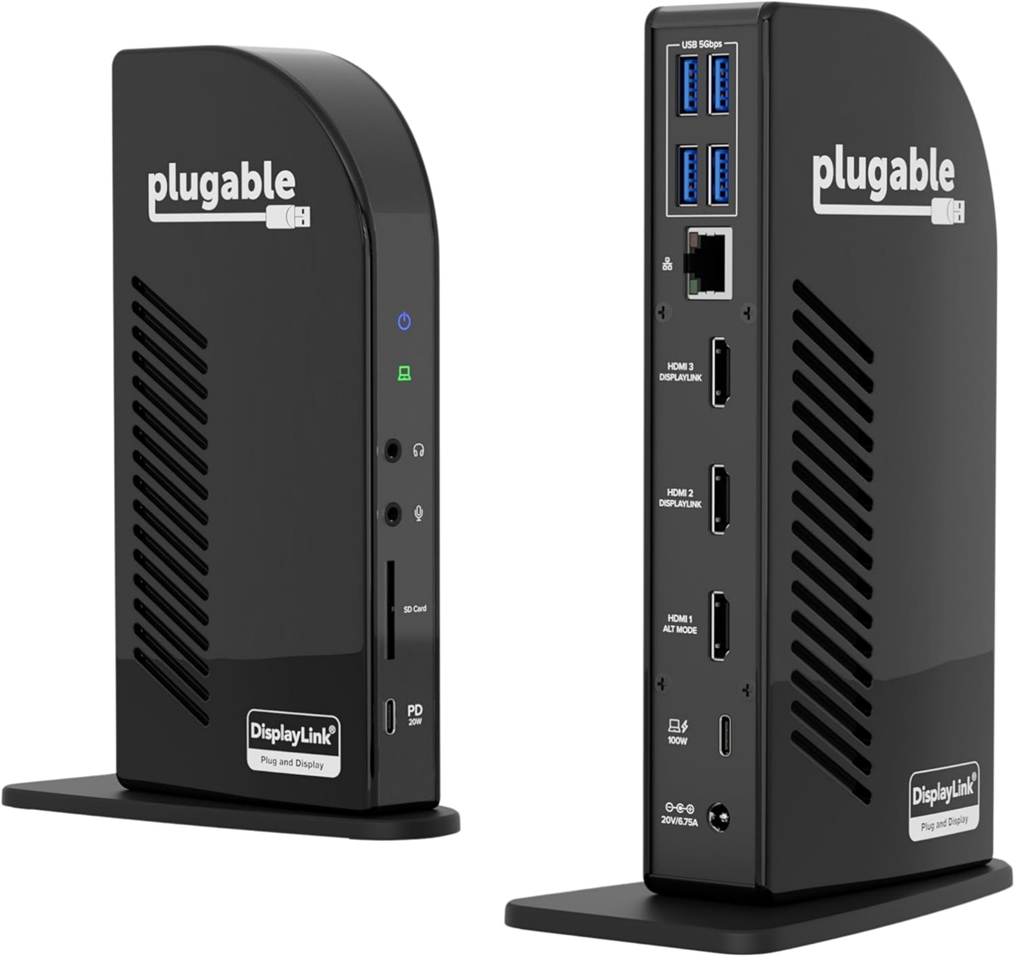
If you have ever wanted to upgrade your workspace and, more importantly, improve your productivity while working from a laptop or PC, adding extra monitors is one of the top recommendations professionals usually make. The issue is that the number of available ports on a laptop or PC is often very limited, so in most cases you can barely add one extra monitor. Today, we bring you a definitive solution to that problem.
The Plugable USB-C Docking Station is basically the easiest way to add more monitors to your workspace while also giving you additional ports to connect peripherals, which is especially useful for laptops or PCs with limited connectivity.
So, if all of this has caught your attention, keep reading. Below, we will go over the main features of this USB-C docking station.
Supports Up to 3 Displays
This USB-C docking station is primarily designed to add extra monitors to a laptop or PC. With it, you can connect up to three additional monitors thanks to its three built-in HDMI ports. Even when running three displays at the same time, it supports a maximum resolution of 4K at 30Hz, so image quality remains excellent.
You also have the option to reach up to 60Hz when using a resolution of 1920 x 1080. So, if your monitors are 1080p, we recommend choosing this setting, or using the maximum resolution if your displays support 4K.
13 Ports in Total
Yes, the HDMI ports are responsible for video output, but this docking station offers many other useful connections. In addition to the three HDMI ports, it includes four USB-A 3.0 ports for connecting peripherals, two USB-C ports that deliver up to 100W and 20W, which are ideal for charging a laptop or smartphone, audio input and output ports, an SD card reader, and an Ethernet port.
Compatible with Windows and macOS
If compatibility is a concern, you will be glad to know that this Plugable docking station works with any laptop or PC running Windows 10 or 11, as well as Macs with M1, M2, M3, M4, or M5 chips. The only requirement is that your device must natively support USB4 or Thunderbolt 3 or newer. USB4 and Thunderbolt 3 are essentially high performance USB-C ports, which are very common on modern devices.
Keep in mind that macOS users need to install drivers, which is a quick and simple process. For Windows users, the docking station works as plug and play.
Interested in getting it? Pick it up here on Amazon!
We are influencers and brand affiliates. This post contains affiliate links, most which go to Amazon and are Geo-Affiliate links to nearest Amazon store.

My name is Joel! I love to read, I go to university like most people my age.
In my free time I usually train boxing, I love music, I also know how to play the guitar and the harmonica.