
We are influencers and brand affiliates. This post contains affiliate links, most which go to Amazon and are Geo-Affiliate links to nearest Amazon store.

Nowadays, converting one or several images to PDF is very useful in many situations. Whether you are a student or a professional, you might need to compile a few photos into a single file, and PDF is one of the most accessible file types to open. However, as you browse the internet looking for a free PDF converter, you might notice that some websites charge for this type of service.
As technology experts, we took the time to explore some free online PDF tools that allow you to convert images to PDF in different formats completely free of charge. Just keep in mind that for a very large number of images, some of these websites may have limitations.

ILovePDF is one of the best-known websites for working with PDF files. It offers several conversion tools, but JPG to PDF is one of the most popular. It’s a free PDF converter that allows you to convert files of up to 40 MB per task. So, if you need to convert JPG to PDF online, there won’t be any issues, though it might become a problem if you try to add a very large number of images in a single file.
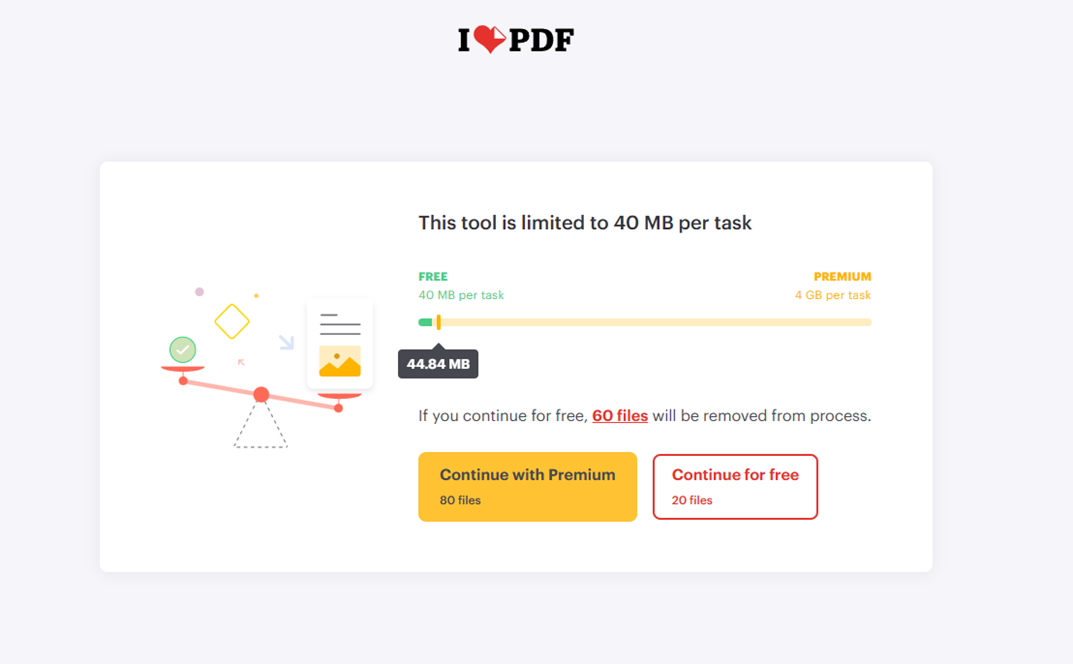
Although it’s mainly designed for JPEG files, it also supports PNG images. What stands out is how simple it is to use, and it even lets you change the order of the images before converting them into a single PDF file. If you prefer a user-friendly online PDF converter, this one is worth checking out.

PDF24 is the most complete and entirely free online PDF tool; I used to rely on it for various tasks. In our test, we converted more than 100 images to PDF in a single file, mixing PNG and JPG formats, and everything worked perfectly. Therefore, we highly recommend giving it a try if you’re looking for a free PDF converter that can handle large batches.
The great thing about PDF24 is that it offers many tools, and image-to-PDF conversion is just one of them. Basically, anything related to PDFs can be found among its available options, making it a versatile PDF toolkit for online use.
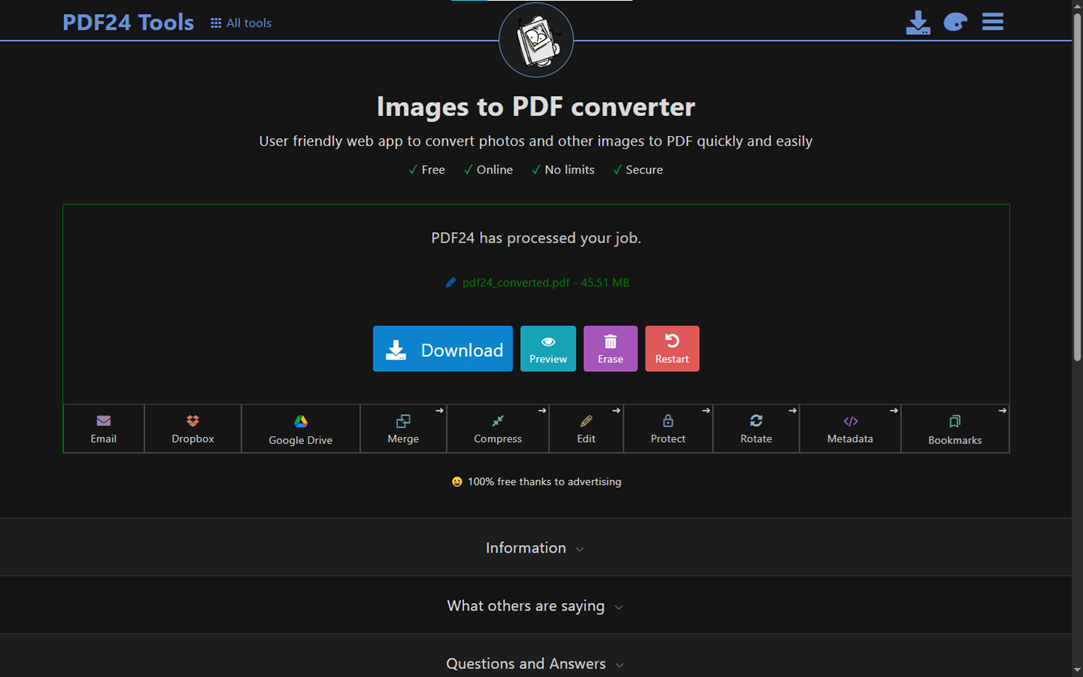
PDF24 Tools was created by Stefan Ziegler, who led its development in 2006. Today, millions of people around the world use it to convert JPG to PDF online or perform other PDF-related tasks. Everything is completely free, even in our test where we converted more than 100 images into one PDF file.
There’s no need to look any further; these two websites are highly reliable for converting your images to PDF online, easily and quickly!
We are influencers and brand affiliates. This post contains affiliate links, most which go to Amazon and are Geo-Affiliate links to nearest Amazon store.

My name is Joel! I love to read, I go to university like most people my age.
In my free time I usually train boxing, I love music, I also know how to play the guitar and the harmonica.