
We are influencers and brand affiliates. This post contains affiliate links, most which go to Amazon and are Geo-Affiliate links to nearest Amazon store.
If you are currently dealing with a laptop that does not have enough ports, then this could be the solution you have been looking for. Today, I want to show you a docking station that can significantly expand the number of ports on your laptop using just a single USB-C connection.
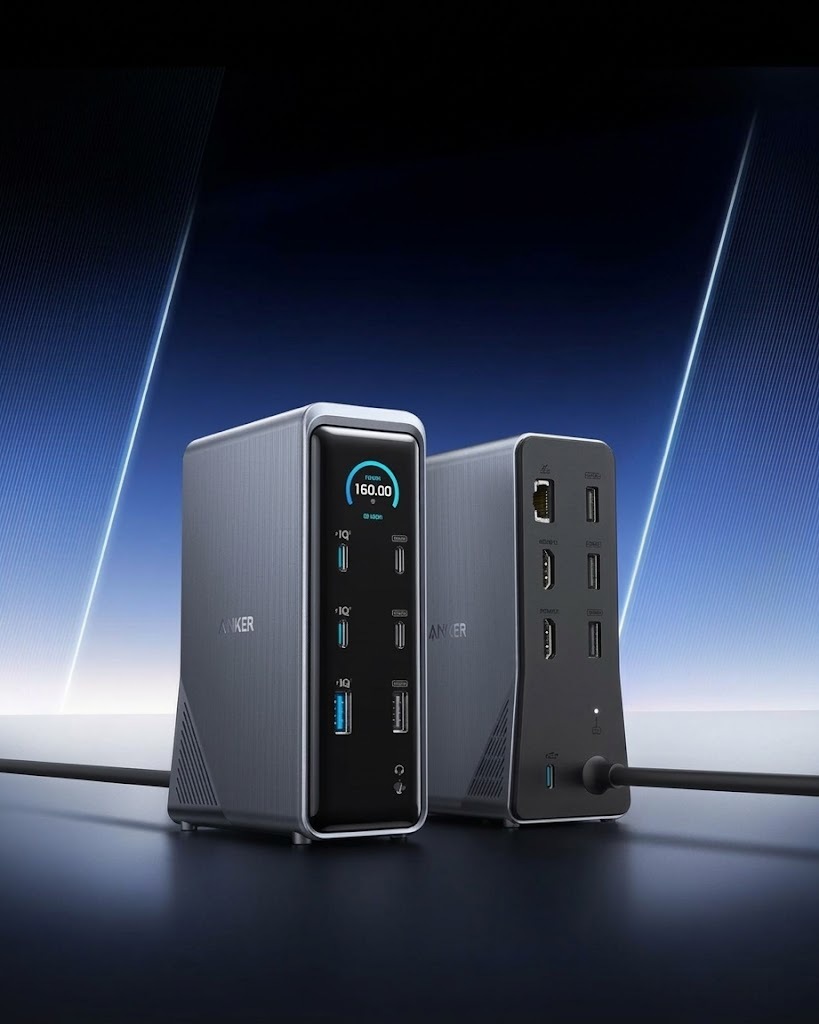
I am talking specifically about the Anker Prime Docking Station, which is one of the easiest ways to expand the number of ports available on your laptop. So, let's take a closer look at some of its main features.
Anker Prime Docking Station features
One of its main features is its 14 ports, allowing you to connect multiple devices at the same time without constantly unplugging one device to connect another. This can be especially useful if you use several accessories with your laptop, such as monitors, external drives, USB flash drives, headphones, or other peripherals.
The docking station also delivers up to 160W of total power and can charge up to four devices simultaneously. It features three USB-C ports that can deliver up to 100W each, along with a USB-A port that can provide up to 12W. This means it can also help keep several devices charged while you work.
Another interesting feature is the ability to connect two monitors via HDMI. Depending on the laptop you use, you can reach resolutions of up to 2K at 60Hz with DisplayPort 1.4, while devices with DisplayPort 1.2 can reach up to 1080p at 60Hz.
As for compatibility, the Anker Prime Docking Station works with laptops that have USB-C, USB4, or Thunderbolt and support DisplayPort Alt Mode and Power Delivery.
It is compatible with Windows 10 and 11 as well as ChromeOS, although you should keep in mind that it is not compatible with Linux. On macOS, both external monitors will display the same image, so there are some limitations depending on the Mac you are using. Personally, I would mainly recommend it for Windows if you want to add multiple displays. Outside of that, it works very well with macOS.
Overall, this is an easy and efficient way to expand the number of ports available on your laptop and improve your productivity without having to constantly swap cables and accessories.
Where can you buy it? Available here on Amazon
We are influencers and brand affiliates. This post contains affiliate links, most which go to Amazon and are Geo-Affiliate links to nearest Amazon store.

My name is Joel! I love to read, I go to university like most people my age.
In my free time I usually train boxing, I love music, I also know how to play the guitar and the harmonica.